Buy langrony.eu ?
We are moving the project
langrony.eu .
Are you interested in purchasing the domain
langrony.eu ?
domain@kv-gmbh.de · 0541-91531010
Buy langrony.eu ?

Autodesk Inventor Professional - 1 Year (2026)
The educational version comprehends all features and functions. There is no reference to the educational version in print nor the classic watermark. Inventor 3D CAD software provides professional-grade mechanical design, documentation, and product simulation tools. The software includes: Powerful blend of parametric, direct, freeform, and rules-based design capabilities. Integrated tools for sheet metal, frame design, tube and pipe, cable & harness, presentations, rendering, simulation, machine design, and more. TrustedDWG compatibility and powerful Model-Based Definition capabilities for embedding manufacturing information directly in the 3D model. Key new features and enhancements of Inventor 2024: iLogic with Vault. Apply iLogic code directly with Vault to copy files, apply numbering schemes, and check out documents. Finish utility. Use the new finish feature to specify the appearance and manufacturing process such as material coating or surface finish. Mark feature enhancements. Mark across all faces in your path and wrap around curved geometry with new mark feature options. Drawing revision cloud. Isolate areas of special interest with the sketch-based revision cloud feature in the drawing environment. View setting improvements. Create compelling visual representations of your design with improved view settings, section view enhancements, and IBL environments. Tube and pipe enhancements. Create custom elbows quickly and easily in the tube and pipe styles area. Parameter enhancements. Include hardness and parameter in expanded unit type export with the option to export Boolean values for custom iProperties. Optimized bounding box assembly. Automate the orientation and size of bounding boxes for parts with additional angle options in assemblies. Connected inspection workflow. Create an inspection plan of your design by sending your models directly to Fusion 360. Weld symbol. Create drawing-associated weld and subweld symbols to be included upon export to 3D PDF, DWF, and Shared Views. Edge symbol. Use the new edge symbol feature with appearance settings based on ISO standards and a properties panel with various customization settings. Model-based definition enhancements. Explore several improvements to model-based definitions for your documentation workflows in the 3D environment.
51,90 £*
Shipping: 0,00 £
Secure redirect to the provider
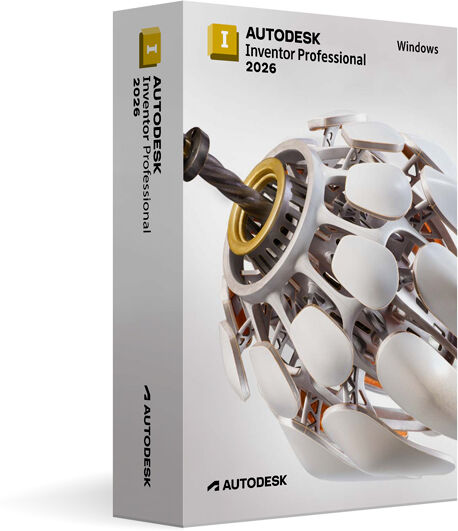
Autodesk Inventor Professional 2026 for Windows
This edition of Autodesk Inventor Professional 2026 for Windows is licensed exclusively for personal and non-commercial use under an educational license. It provides the full suite of professional tools and capabilities found in the commercial version, delivering identical output without any watermarks or limitations. This makes it an excellent choice for students, educators, and individuals pursuing personal projects who require industry-standard 3D mechanical design, documentation, and product simulation software. Autodesk Inventor Professional 2026 is a comprehensive CAD solution tailored for mechanical engineers and product designers working on Windows platforms. It enables users to create precise 3D models, assemblies, and detailed drawings, streamlining the product development process from concept through to manufacturing. With its powerful parametric, direct edit, and freeform modelling tools, Inventor empowers you to iterate designs quickly and accurately, ensuring your ideas translate into practical solutions. The software also includes advanced simulation and validation capabilities, allowing you to test the performance and durability of your designs in real-world conditions before any physical prototypes are made. This reduces the risk of costly errors, speeds up development timelines, and helps optimise product performance. Additionally, Inventor Professional supports interoperability with other Autodesk applications and widely used CAD formats, facilitating seamless collaboration across teams and disciplines. Available now through Omega Keys UK, this product is in stock and ready for immediate download, eliminating the wait associated with physical media. The installation process is straightforward on Windows systems, enabling you to start designing without delay. The educational license ensures that you have access to the same trusted tools professionals use globally, making it ideal for honing your skills or completing academic projects with real-world software. Whether you are learning mechanical design, developing student projects, or simply exploring product development workflows, Autodesk Inventor Professional 2026 offers a robust platform to support your ambitions. It combines intuitive design features with advanced engineering tools, delivering an environment that bridges creativity and technical precision. Investing in this software through a licensed educational version provides you with a cost-effective way to gain experience on industry-grade software. In summary, Autodesk Inventor Professional 2026 for Windows licensed for personal and non-commercial educational use is a powerful tool for aspiring engineers and designers. It enables the creation of detailed 3D models, assemblies, and simulations with the same professional quality as commercial users. With its robust features and seamless integration, it supports learning and development in mechanical design while maintaining full functionality and output quality. Explore...
89,99 £*
Shipping: 0,00 £
Secure redirect to the provider
Similar search terms for Autodesk-Inventor-Professional
Top-Angebote
Products related to Autodesk-Inventor-Professional:
-
Autodesk Inventor Professional 2025 for WindowsThis edition of Autodesk Inventor Professional 2025 for Windows is licensed exclusively for personal and non-commercial use under an educational license. It provides the full set of features and performance found in the commercial version, enabling users to create professional-grade designs without limitations or watermarks. This makes it an ideal solution for students, educators, and individuals seeking to develop and refine their skills using industry-standard 3D mechanical design software. Autodesk Inventor Professional 2025 is a sophisticated CAD application designed to meet the demanding needs of engineers and designers working in mechanical design and product development. It offers an integrated set of tools for 3D mechanical design, documentation, and product simulation, all within a single, streamlined interface tailored for Windows operating systems. With this software, users can create precise 3D digital prototypes, allowing them to visualize and validate the form, fit, and function of their designs before manufacturing. This capability helps reduce costly physical prototypes and accelerates the overall product development process. Inventor Professional 2025 supports complex part and assembly modelling, enabling the creation of detailed and accurate mechanical components with ease. Alongside powerful modelling features, the software includes advanced simulation and analysis tools. Users can perform stress analysis, dynamic simulation, and motion studies to predict how products will behave in real-world conditions. This insight supports better design decisions, helps improve product performance, and reduces the risk of failure. The software also facilitates the creation of comprehensive technical documentation. Automated drawing generation from 3D models ensures that all necessary manufacturing information is clear, consistent, and up to date. This helps streamline communication with production teams and suppliers. Autodesk Inventor Professional 2025 integrates well with other Autodesk products and supports common industry file formats, making collaboration and data exchange straightforward. Its user-friendly interface and extensive learning resources make it accessible to users at different skill levels, from students embarking on their engineering education to professionals honing their expertise. This educational license version is fully functional and identical in capability to the commercial release, ensuring that you can work on real-world projects and develop skills directly transferable to professional environments. Whether you are learning mechanical design principles, creating complex assemblies, or testing product concepts virtually, this software provides a robust platform to support your ambitions. By choosing Autodesk Inventor Professional 2025 for Windows through Omega Keys UK, you gain access to one of the leading CAD applications tailored for mechanical engineering and design. Its powerful tools, combined with the...69,99 £*Shipping: 0,00 £Secure redirect to the provider
-
Autodesk Inventor Professional - 3 Years (2024)The educational version comprehends all features and functions. There is no reference to the educational version in print nor the classic watermark. Inventor 3D CAD software provides professional-grade mechanical design, documentation, and product simulation tools. The software includes: Powerful blend of parametric, direct, freeform, and rules-based design capabilities. Integrated tools for sheet metal, frame design, tube and pipe, cable & harness, presentations, rendering, simulation, machine design, and more. TrustedDWG compatibility and powerful Model-Based Definition capabilities for embedding manufacturing information directly in the 3D model. Key new features and enhancements of Inventor 2024: iLogic with Vault. Apply iLogic code directly with Vault to copy files, apply numbering schemes, and check out documents. Finish utility. Use the new finish feature to specify the appearance and manufacturing process such as material coating or surface finish. Mark feature enhancements. Mark across all faces in your path and wrap around curved geometry with new mark feature options. Drawing revision cloud. Isolate areas of special interest with the sketch-based revision cloud feature in the drawing environment. View setting improvements. Create compelling visual representations of your design with improved view settings, section view enhancements, and IBL environments. Tube and pipe enhancements. Create custom elbows quickly and easily in the tube and pipe styles area. Parameter enhancements. Include hardness and parameter in expanded unit type export with the option to export Boolean values for custom iProperties. Optimized bounding box assembly. Automate the orientation and size of bounding boxes for parts with additional angle options in assemblies. Connected inspection workflow. Create an inspection plan of your design by sending your models directly to Fusion 360. Weld symbol. Create drawing-associated weld and subweld symbols to be included upon export to 3D PDF, DWF, and Shared Views. Edge symbol. Use the new edge symbol feature with appearance settings based on ISO standards and a properties panel with various customization settings. Model-based definition enhancements. Explore several improvements to model-based definitions for your documentation workflows in the 3D environment.42,90 £*Shipping: 0,00 £Secure redirect to the provider
-
Autodesk Inventor Professional - 3 Years (2026)The educational version comprehends all features and functions. There is no reference to the educational version in print nor the classic watermark. Inventor 3D CAD software provides professional-grade mechanical design, documentation, and product simulation tools. The software includes: Powerful blend of parametric, direct, freeform, and rules-based design capabilities. Integrated tools for sheet metal, frame design, tube and pipe, cable & harness, presentations, rendering, simulation, machine design, and more. TrustedDWG compatibility and powerful Model-Based Definition capabilities for embedding manufacturing information directly in the 3D model. Key new features and enhancements of Inventor 2024: iLogic with Vault. Apply iLogic code directly with Vault to copy files, apply numbering schemes, and check out documents. Finish utility. Use the new finish feature to specify the appearance and manufacturing process such as material coating or surface finish. Mark feature enhancements. Mark across all faces in your path and wrap around curved geometry with new mark feature options. Drawing revision cloud. Isolate areas of special interest with the sketch-based revision cloud feature in the drawing environment. View setting improvements. Create compelling visual representations of your design with improved view settings, section view enhancements, and IBL environments. Tube and pipe enhancements. Create custom elbows quickly and easily in the tube and pipe styles area. Parameter enhancements. Include hardness and parameter in expanded unit type export with the option to export Boolean values for custom iProperties. Optimized bounding box assembly. Automate the orientation and size of bounding boxes for parts with additional angle options in assemblies. Connected inspection workflow. Create an inspection plan of your design by sending your models directly to Fusion 360. Weld symbol. Create drawing-associated weld and subweld symbols to be included upon export to 3D PDF, DWF, and Shared Views. Edge symbol. Use the new edge symbol feature with appearance settings based on ISO standards and a properties panel with various customization settings. Model-based definition enhancements. Explore several improvements to model-based definitions for your documentation workflows in the 3D environment.59,90 £*Shipping: 0,00 £Secure redirect to the provider
-
Autodesk Inventor Professional - 3 Years (2027)The educational version comprehends all features and functions. There is no reference to the educational version in print nor the classic watermark. Inventor 3D CAD software provides professional-grade mechanical design, documentation, and product simulation tools. The software includes: Powerful blend of parametric, direct, freeform, and rules-based design capabilities. Integrated tools for sheet metal, frame design, tube and pipe, cable & harness, presentations, rendering, simulation, machine design, and more. TrustedDWG compatibility and powerful Model-Based Definition capabilities for embedding manufacturing information directly in the 3D model. Key new features and enhancements of Inventor 2024: iLogic with Vault. Apply iLogic code directly with Vault to copy files, apply numbering schemes, and check out documents. Finish utility. Use the new finish feature to specify the appearance and manufacturing process such as material coating or surface finish. Mark feature enhancements. Mark across all faces in your path and wrap around curved geometry with new mark feature options. Drawing revision cloud. Isolate areas of special interest with the sketch-based revision cloud feature in the drawing environment. View setting improvements. Create compelling visual representations of your design with improved view settings, section view enhancements, and IBL environments. Tube and pipe enhancements. Create custom elbows quickly and easily in the tube and pipe styles area. Parameter enhancements. Include hardness and parameter in expanded unit type export with the option to export Boolean values for custom iProperties. Optimized bounding box assembly. Automate the orientation and size of bounding boxes for parts with additional angle options in assemblies. Connected inspection workflow. Create an inspection plan of your design by sending your models directly to Fusion 360. Weld symbol. Create drawing-associated weld and subweld symbols to be included upon export to 3D PDF, DWF, and Shared Views. Edge symbol. Use the new edge symbol feature with appearance settings based on ISO standards and a properties panel with various customization settings. Model-based definition enhancements. Explore several improvements to model-based definitions for your documentation workflows in the 3D environment.68,90 £*Shipping: 0,00 £Secure redirect to the provider





Autodesk Inventor Professional - 1 Year (2025)
The educational version comprehends all features and functions. There is no reference to the educational version in print nor the classic watermark. Inventor 3D CAD software provides professional-grade mechanical design, documentation, and product simulation tools. The software includes: Powerful blend of parametric, direct, freeform, and rules-based design capabilities. Integrated tools for sheet metal, frame design, tube and pipe, cable & harness, presentations, rendering, simulation, machine design, and more. TrustedDWG compatibility and powerful Model-Based Definition capabilities for embedding manufacturing information directly in the 3D model. Key new features and enhancements of Inventor 2024: iLogic with Vault. Apply iLogic code directly with Vault to copy files, apply numbering schemes, and check out documents. Finish utility. Use the new finish feature to specify the appearance and manufacturing process such as material coating or surface finish. Mark feature enhancements. Mark across all faces in your path and wrap around curved geometry with new mark feature options. Drawing revision cloud. Isolate areas of special interest with the sketch-based revision cloud feature in the drawing environment. View setting improvements. Create compelling visual representations of your design with improved view settings, section view enhancements, and IBL environments. Tube and pipe enhancements. Create custom elbows quickly and easily in the tube and pipe styles area. Parameter enhancements. Include hardness and parameter in expanded unit type export with the option to export Boolean values for custom iProperties. Optimized bounding box assembly. Automate the orientation and size of bounding boxes for parts with additional angle options in assemblies. Connected inspection workflow. Create an inspection plan of your design by sending your models directly to Fusion 360. Weld symbol. Create drawing-associated weld and subweld symbols to be included upon export to 3D PDF, DWF, and Shared Views. Edge symbol. Use the new edge symbol feature with appearance settings based on ISO standards and a properties panel with various customization settings. Model-based definition enhancements. Explore several improvements to model-based definitions for your documentation workflows in the 3D environment.
42,90 £*
Shipping: 0,00 £
Secure redirect to the provider

Autodesk Inventor Professional - 3 Years (2025)
The educational version comprehends all features and functions. There is no reference to the educational version in print nor the classic watermark. Inventor 3D CAD software provides professional-grade mechanical design, documentation, and product simulation tools. The software includes: Powerful blend of parametric, direct, freeform, and rules-based design capabilities. Integrated tools for sheet metal, frame design, tube and pipe, cable & harness, presentations, rendering, simulation, machine design, and more. TrustedDWG compatibility and powerful Model-Based Definition capabilities for embedding manufacturing information directly in the 3D model. Key new features and enhancements of Inventor 2024: iLogic with Vault. Apply iLogic code directly with Vault to copy files, apply numbering schemes, and check out documents. Finish utility. Use the new finish feature to specify the appearance and manufacturing process such as material coating or surface finish. Mark feature enhancements. Mark across all faces in your path and wrap around curved geometry with new mark feature options. Drawing revision cloud. Isolate areas of special interest with the sketch-based revision cloud feature in the drawing environment. View setting improvements. Create compelling visual representations of your design with improved view settings, section view enhancements, and IBL environments. Tube and pipe enhancements. Create custom elbows quickly and easily in the tube and pipe styles area. Parameter enhancements. Include hardness and parameter in expanded unit type export with the option to export Boolean values for custom iProperties. Optimized bounding box assembly. Automate the orientation and size of bounding boxes for parts with additional angle options in assemblies. Connected inspection workflow. Create an inspection plan of your design by sending your models directly to Fusion 360. Weld symbol. Create drawing-associated weld and subweld symbols to be included upon export to 3D PDF, DWF, and Shared Views. Edge symbol. Use the new edge symbol feature with appearance settings based on ISO standards and a properties panel with various customization settings. Model-based definition enhancements. Explore several improvements to model-based definitions for your documentation workflows in the 3D environment.
51,90 £*
Shipping: 0,00 £
Secure redirect to the provider
Top-Angebote
Products related to Autodesk-Inventor-Professional:
-
Autodesk Inventor Professional - 1 Year (2026)The educational version comprehends all features and functions. There is no reference to the educational version in print nor the classic watermark. Inventor 3D CAD software provides professional-grade mechanical design, documentation, and product simulation tools. The software includes: Powerful blend of parametric, direct, freeform, and rules-based design capabilities. Integrated tools for sheet metal, frame design, tube and pipe, cable & harness, presentations, rendering, simulation, machine design, and more. TrustedDWG compatibility and powerful Model-Based Definition capabilities for embedding manufacturing information directly in the 3D model. Key new features and enhancements of Inventor 2024: iLogic with Vault. Apply iLogic code directly with Vault to copy files, apply numbering schemes, and check out documents. Finish utility. Use the new finish feature to specify the appearance and manufacturing process such as material coating or surface finish. Mark feature enhancements. Mark across all faces in your path and wrap around curved geometry with new mark feature options. Drawing revision cloud. Isolate areas of special interest with the sketch-based revision cloud feature in the drawing environment. View setting improvements. Create compelling visual representations of your design with improved view settings, section view enhancements, and IBL environments. Tube and pipe enhancements. Create custom elbows quickly and easily in the tube and pipe styles area. Parameter enhancements. Include hardness and parameter in expanded unit type export with the option to export Boolean values for custom iProperties. Optimized bounding box assembly. Automate the orientation and size of bounding boxes for parts with additional angle options in assemblies. Connected inspection workflow. Create an inspection plan of your design by sending your models directly to Fusion 360. Weld symbol. Create drawing-associated weld and subweld symbols to be included upon export to 3D PDF, DWF, and Shared Views. Edge symbol. Use the new edge symbol feature with appearance settings based on ISO standards and a properties panel with various customization settings. Model-based definition enhancements. Explore several improvements to model-based definitions for your documentation workflows in the 3D environment.51,90 £*Shipping: 0,00 £Secure redirect to the provider
-
Autodesk Inventor Professional 2026 for WindowsThis edition of Autodesk Inventor Professional 2026 for Windows is licensed exclusively for personal and non-commercial use under an educational license. It provides the full suite of professional tools and capabilities found in the commercial version, delivering identical output without any watermarks or limitations. This makes it an excellent choice for students, educators, and individuals pursuing personal projects who require industry-standard 3D mechanical design, documentation, and product simulation software. Autodesk Inventor Professional 2026 is a comprehensive CAD solution tailored for mechanical engineers and product designers working on Windows platforms. It enables users to create precise 3D models, assemblies, and detailed drawings, streamlining the product development process from concept through to manufacturing. With its powerful parametric, direct edit, and freeform modelling tools, Inventor empowers you to iterate designs quickly and accurately, ensuring your ideas translate into practical solutions. The software also includes advanced simulation and validation capabilities, allowing you to test the performance and durability of your designs in real-world conditions before any physical prototypes are made. This reduces the risk of costly errors, speeds up development timelines, and helps optimise product performance. Additionally, Inventor Professional supports interoperability with other Autodesk applications and widely used CAD formats, facilitating seamless collaboration across teams and disciplines. Available now through Omega Keys UK, this product is in stock and ready for immediate download, eliminating the wait associated with physical media. The installation process is straightforward on Windows systems, enabling you to start designing without delay. The educational license ensures that you have access to the same trusted tools professionals use globally, making it ideal for honing your skills or completing academic projects with real-world software. Whether you are learning mechanical design, developing student projects, or simply exploring product development workflows, Autodesk Inventor Professional 2026 offers a robust platform to support your ambitions. It combines intuitive design features with advanced engineering tools, delivering an environment that bridges creativity and technical precision. Investing in this software through a licensed educational version provides you with a cost-effective way to gain experience on industry-grade software. In summary, Autodesk Inventor Professional 2026 for Windows licensed for personal and non-commercial educational use is a powerful tool for aspiring engineers and designers. It enables the creation of detailed 3D models, assemblies, and simulations with the same professional quality as commercial users. With its robust features and seamless integration, it supports learning and development in mechanical design while maintaining full functionality and output quality. Explore...89,99 £*Shipping: 0,00 £Secure redirect to the provider
-
Autodesk Inventor Professional 2025 for WindowsThis edition of Autodesk Inventor Professional 2025 for Windows is licensed exclusively for personal and non-commercial use under an educational license. It provides the full set of features and performance found in the commercial version, enabling users to create professional-grade designs without limitations or watermarks. This makes it an ideal solution for students, educators, and individuals seeking to develop and refine their skills using industry-standard 3D mechanical design software. Autodesk Inventor Professional 2025 is a sophisticated CAD application designed to meet the demanding needs of engineers and designers working in mechanical design and product development. It offers an integrated set of tools for 3D mechanical design, documentation, and product simulation, all within a single, streamlined interface tailored for Windows operating systems. With this software, users can create precise 3D digital prototypes, allowing them to visualize and validate the form, fit, and function of their designs before manufacturing. This capability helps reduce costly physical prototypes and accelerates the overall product development process. Inventor Professional 2025 supports complex part and assembly modelling, enabling the creation of detailed and accurate mechanical components with ease. Alongside powerful modelling features, the software includes advanced simulation and analysis tools. Users can perform stress analysis, dynamic simulation, and motion studies to predict how products will behave in real-world conditions. This insight supports better design decisions, helps improve product performance, and reduces the risk of failure. The software also facilitates the creation of comprehensive technical documentation. Automated drawing generation from 3D models ensures that all necessary manufacturing information is clear, consistent, and up to date. This helps streamline communication with production teams and suppliers. Autodesk Inventor Professional 2025 integrates well with other Autodesk products and supports common industry file formats, making collaboration and data exchange straightforward. Its user-friendly interface and extensive learning resources make it accessible to users at different skill levels, from students embarking on their engineering education to professionals honing their expertise. This educational license version is fully functional and identical in capability to the commercial release, ensuring that you can work on real-world projects and develop skills directly transferable to professional environments. Whether you are learning mechanical design principles, creating complex assemblies, or testing product concepts virtually, this software provides a robust platform to support your ambitions. By choosing Autodesk Inventor Professional 2025 for Windows through Omega Keys UK, you gain access to one of the leading CAD applications tailored for mechanical engineering and design. Its powerful tools, combined with the...69,99 £*Shipping: 0,00 £Secure redirect to the provider
-
Autodesk Inventor Professional - 3 Years (2024)The educational version comprehends all features and functions. There is no reference to the educational version in print nor the classic watermark. Inventor 3D CAD software provides professional-grade mechanical design, documentation, and product simulation tools. The software includes: Powerful blend of parametric, direct, freeform, and rules-based design capabilities. Integrated tools for sheet metal, frame design, tube and pipe, cable & harness, presentations, rendering, simulation, machine design, and more. TrustedDWG compatibility and powerful Model-Based Definition capabilities for embedding manufacturing information directly in the 3D model. Key new features and enhancements of Inventor 2024: iLogic with Vault. Apply iLogic code directly with Vault to copy files, apply numbering schemes, and check out documents. Finish utility. Use the new finish feature to specify the appearance and manufacturing process such as material coating or surface finish. Mark feature enhancements. Mark across all faces in your path and wrap around curved geometry with new mark feature options. Drawing revision cloud. Isolate areas of special interest with the sketch-based revision cloud feature in the drawing environment. View setting improvements. Create compelling visual representations of your design with improved view settings, section view enhancements, and IBL environments. Tube and pipe enhancements. Create custom elbows quickly and easily in the tube and pipe styles area. Parameter enhancements. Include hardness and parameter in expanded unit type export with the option to export Boolean values for custom iProperties. Optimized bounding box assembly. Automate the orientation and size of bounding boxes for parts with additional angle options in assemblies. Connected inspection workflow. Create an inspection plan of your design by sending your models directly to Fusion 360. Weld symbol. Create drawing-associated weld and subweld symbols to be included upon export to 3D PDF, DWF, and Shared Views. Edge symbol. Use the new edge symbol feature with appearance settings based on ISO standards and a properties panel with various customization settings. Model-based definition enhancements. Explore several improvements to model-based definitions for your documentation workflows in the 3D environment.42,90 £*Shipping: 0,00 £Secure redirect to the provider
Similar search terms for Autodesk-Inventor-Professional
-
Autodesk Inventor Professional - 3 Years (2026)The educational version comprehends all features and functions. There is no reference to the educational version in print nor the classic watermark. Inventor 3D CAD software provides professional-grade mechanical design, documentation, and product simulation tools. The software includes: Powerful blend of parametric, direct, freeform, and rules-based design capabilities. Integrated tools for sheet metal, frame design, tube and pipe, cable & harness, presentations, rendering, simulation, machine design, and more. TrustedDWG compatibility and powerful Model-Based Definition capabilities for embedding manufacturing information directly in the 3D model. Key new features and enhancements of Inventor 2024: iLogic with Vault. Apply iLogic code directly with Vault to copy files, apply numbering schemes, and check out documents. Finish utility. Use the new finish feature to specify the appearance and manufacturing process such as material coating or surface finish. Mark feature enhancements. Mark across all faces in your path and wrap around curved geometry with new mark feature options. Drawing revision cloud. Isolate areas of special interest with the sketch-based revision cloud feature in the drawing environment. View setting improvements. Create compelling visual representations of your design with improved view settings, section view enhancements, and IBL environments. Tube and pipe enhancements. Create custom elbows quickly and easily in the tube and pipe styles area. Parameter enhancements. Include hardness and parameter in expanded unit type export with the option to export Boolean values for custom iProperties. Optimized bounding box assembly. Automate the orientation and size of bounding boxes for parts with additional angle options in assemblies. Connected inspection workflow. Create an inspection plan of your design by sending your models directly to Fusion 360. Weld symbol. Create drawing-associated weld and subweld symbols to be included upon export to 3D PDF, DWF, and Shared Views. Edge symbol. Use the new edge symbol feature with appearance settings based on ISO standards and a properties panel with various customization settings. Model-based definition enhancements. Explore several improvements to model-based definitions for your documentation workflows in the 3D environment.59,90 £*Shipping: 0,00 £Secure redirect to the provider
-
Autodesk Inventor Professional - 3 Years (2027)The educational version comprehends all features and functions. There is no reference to the educational version in print nor the classic watermark. Inventor 3D CAD software provides professional-grade mechanical design, documentation, and product simulation tools. The software includes: Powerful blend of parametric, direct, freeform, and rules-based design capabilities. Integrated tools for sheet metal, frame design, tube and pipe, cable & harness, presentations, rendering, simulation, machine design, and more. TrustedDWG compatibility and powerful Model-Based Definition capabilities for embedding manufacturing information directly in the 3D model. Key new features and enhancements of Inventor 2024: iLogic with Vault. Apply iLogic code directly with Vault to copy files, apply numbering schemes, and check out documents. Finish utility. Use the new finish feature to specify the appearance and manufacturing process such as material coating or surface finish. Mark feature enhancements. Mark across all faces in your path and wrap around curved geometry with new mark feature options. Drawing revision cloud. Isolate areas of special interest with the sketch-based revision cloud feature in the drawing environment. View setting improvements. Create compelling visual representations of your design with improved view settings, section view enhancements, and IBL environments. Tube and pipe enhancements. Create custom elbows quickly and easily in the tube and pipe styles area. Parameter enhancements. Include hardness and parameter in expanded unit type export with the option to export Boolean values for custom iProperties. Optimized bounding box assembly. Automate the orientation and size of bounding boxes for parts with additional angle options in assemblies. Connected inspection workflow. Create an inspection plan of your design by sending your models directly to Fusion 360. Weld symbol. Create drawing-associated weld and subweld symbols to be included upon export to 3D PDF, DWF, and Shared Views. Edge symbol. Use the new edge symbol feature with appearance settings based on ISO standards and a properties panel with various customization settings. Model-based definition enhancements. Explore several improvements to model-based definitions for your documentation workflows in the 3D environment.68,90 £*Shipping: 0,00 £Secure redirect to the provider
-
Autodesk Inventor Professional - 1 Year (2025)The educational version comprehends all features and functions. There is no reference to the educational version in print nor the classic watermark. Inventor 3D CAD software provides professional-grade mechanical design, documentation, and product simulation tools. The software includes: Powerful blend of parametric, direct, freeform, and rules-based design capabilities. Integrated tools for sheet metal, frame design, tube and pipe, cable & harness, presentations, rendering, simulation, machine design, and more. TrustedDWG compatibility and powerful Model-Based Definition capabilities for embedding manufacturing information directly in the 3D model. Key new features and enhancements of Inventor 2024: iLogic with Vault. Apply iLogic code directly with Vault to copy files, apply numbering schemes, and check out documents. Finish utility. Use the new finish feature to specify the appearance and manufacturing process such as material coating or surface finish. Mark feature enhancements. Mark across all faces in your path and wrap around curved geometry with new mark feature options. Drawing revision cloud. Isolate areas of special interest with the sketch-based revision cloud feature in the drawing environment. View setting improvements. Create compelling visual representations of your design with improved view settings, section view enhancements, and IBL environments. Tube and pipe enhancements. Create custom elbows quickly and easily in the tube and pipe styles area. Parameter enhancements. Include hardness and parameter in expanded unit type export with the option to export Boolean values for custom iProperties. Optimized bounding box assembly. Automate the orientation and size of bounding boxes for parts with additional angle options in assemblies. Connected inspection workflow. Create an inspection plan of your design by sending your models directly to Fusion 360. Weld symbol. Create drawing-associated weld and subweld symbols to be included upon export to 3D PDF, DWF, and Shared Views. Edge symbol. Use the new edge symbol feature with appearance settings based on ISO standards and a properties panel with various customization settings. Model-based definition enhancements. Explore several improvements to model-based definitions for your documentation workflows in the 3D environment.42,90 £*Shipping: 0,00 £Secure redirect to the provider
-
Autodesk Inventor Professional - 3 Years (2025)The educational version comprehends all features and functions. There is no reference to the educational version in print nor the classic watermark. Inventor 3D CAD software provides professional-grade mechanical design, documentation, and product simulation tools. The software includes: Powerful blend of parametric, direct, freeform, and rules-based design capabilities. Integrated tools for sheet metal, frame design, tube and pipe, cable & harness, presentations, rendering, simulation, machine design, and more. TrustedDWG compatibility and powerful Model-Based Definition capabilities for embedding manufacturing information directly in the 3D model. Key new features and enhancements of Inventor 2024: iLogic with Vault. Apply iLogic code directly with Vault to copy files, apply numbering schemes, and check out documents. Finish utility. Use the new finish feature to specify the appearance and manufacturing process such as material coating or surface finish. Mark feature enhancements. Mark across all faces in your path and wrap around curved geometry with new mark feature options. Drawing revision cloud. Isolate areas of special interest with the sketch-based revision cloud feature in the drawing environment. View setting improvements. Create compelling visual representations of your design with improved view settings, section view enhancements, and IBL environments. Tube and pipe enhancements. Create custom elbows quickly and easily in the tube and pipe styles area. Parameter enhancements. Include hardness and parameter in expanded unit type export with the option to export Boolean values for custom iProperties. Optimized bounding box assembly. Automate the orientation and size of bounding boxes for parts with additional angle options in assemblies. Connected inspection workflow. Create an inspection plan of your design by sending your models directly to Fusion 360. Weld symbol. Create drawing-associated weld and subweld symbols to be included upon export to 3D PDF, DWF, and Shared Views. Edge symbol. Use the new edge symbol feature with appearance settings based on ISO standards and a properties panel with various customization settings. Model-based definition enhancements. Explore several improvements to model-based definitions for your documentation workflows in the 3D environment.51,90 £*Shipping: 0,00 £Secure redirect to the provider
* All prices are inclusive of VAT and, if applicable, plus shipping costs. The offer information is based on the details provided by the respective shop and is updated through automated processes. Real-time updates do not occur, so deviations can occur in individual cases. ** Note: Parts of this content were created by AI.